OpenAI Introduces Websocket-Based Execution Mode to Reduce Latency in Agentic Workflows
OpenAI has introduced a WebSocket-based execution mode designed to reduce latency in agentic AI workflows by enabling faster, persistent bidirectional communication between agents and execution environments.

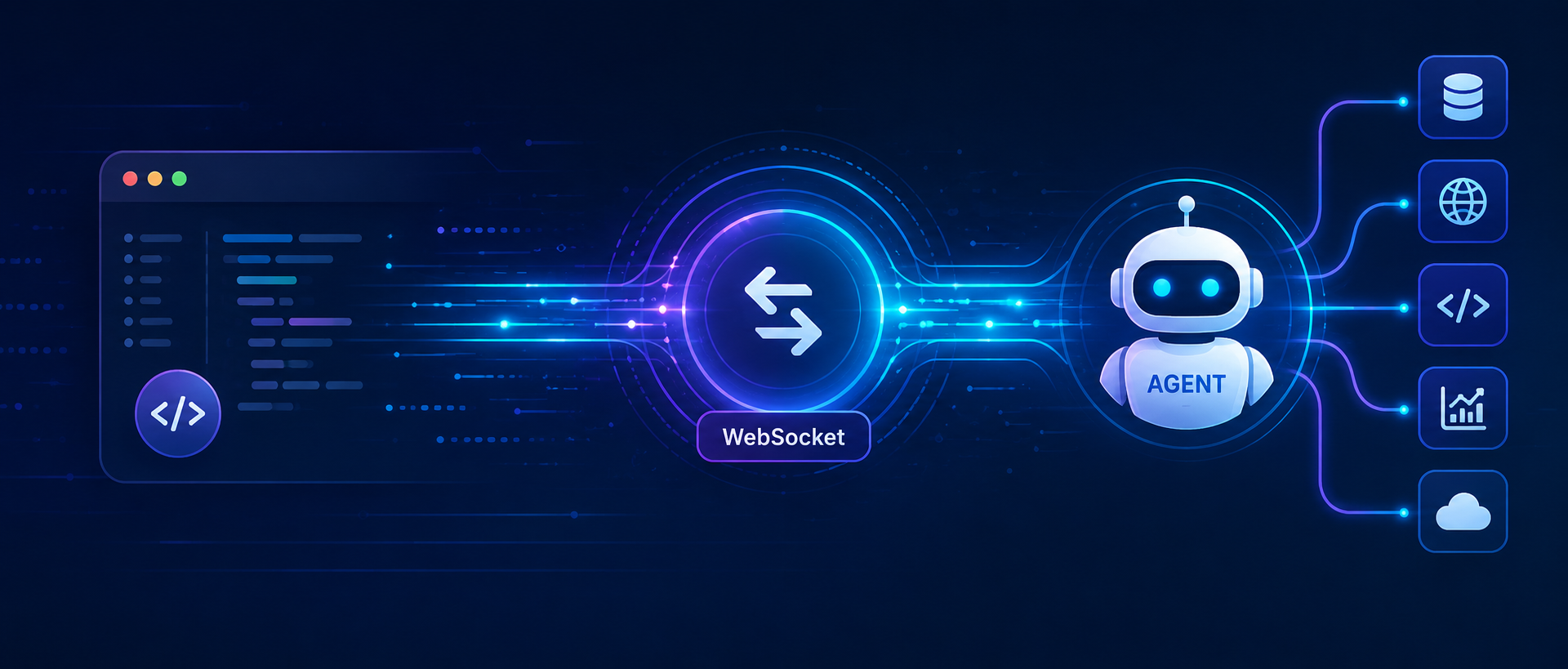
OpenAI Introduces WebSocket-Based Execution Mode to Reduce Latency in Agentic Workflows
As AI inference accelerates toward 1,000 tokens per second, the transport layer has become the dominant bottleneck. OpenAI's persistent WebSocket mode for the Responses API eliminates repeated HTTP handshakes, cuts end-to-end latency by up to 40%, and fundamentally changes how production coding agents are built.
⚡ 01 - Introduction: The Transport Bottleneck
For most of AI's recent history, GPU inference was the slowest part of any agentic loop. Teams spent engineering effort shaving milliseconds off model latency while the transport layer overhead - establishing connections, transmitting full conversation histories, re-processing context - consumed a negligible share of total wall-clock time.
That assumption broke in 2025 and 2026. As OpenAI and other providers pushed model inference from 65 tokens per second toward nearly 1,000 tokens per second with GPT-5.3-Codex-Spark, the economics inverted. Inference got fast enough that the surrounding infrastructure - API service validation, repeated TCP handshakes, context retransmission - now constitutes the majority of latency in a typical multi-step agentic workflow. You paid for the faster GPU; the network ate your gains.
Every tool call in a traditional HTTP-based agentic loop requires: establishing a new TCP connection, performing a TLS handshake, transmitting the entire conversation history from scratch, waiting for the API to re-validate and reprocess that context, and then returning the response. For a coding agent executing 20 sequential tool calls, this overhead compounds into minutes. The model was never the bottleneck - the protocol was.
🔁 02 - Why HTTP Request-Response Failed Agentic Loops
To understand why WebSocket mode matters, you need to map what happens inside a production coding agent on every single tool call with traditional HTTP. The overhead is not a single large cost - it is a small recurring cost paid dozens of times per workflow, compounding into something users experience as sluggishness even when the model itself is fast.
- 1.New TCP connection established for each turn
- 2.Full TLS handshake repeated per request
- 3.Complete conversation history retransmitted
- 4.API re-validates entire request payload
- 5.Safety stack re-processes full context
- 6.KV-cache warms up again from scratch
- 7.Connection torn down; loop repeats next call
- 1.Persistent connection already open
- 2.No TLS handshake - reuses existing session
- 3.Only new tool result sent as incremental input
- 4.previous_response_id chains context efficiently
- 5.In-memory KV-cache retained connection-locally
- 6.Safety stack processes delta only, not full history
- 7.Connection stays open; next tool call ready instantly
"WebSockets for agent state is such an obvious but huge win. No more cold starts killing your multi-tool chains."
- Ofek Shaked, Vibe Coder, on the WebSocket mode launch
The Codex agent loop spends its time in three stages: API service work (validation and processing), model inference (token generation on GPUs), and client-side time (running tools and building context). In 2023 and 2024, inference was slowest and API overhead was hidden. By 2026, inference accelerated so dramatically that API overhead became the dominant cost - invisible to standard profiling but real to users watching a spinner.
🏗️ 03 - Architecture: How WebSocket Mode Works
WebSocket mode connects to the same /v1/responses endpoint as the standard HTTP Responses API, but switches the transport from request-response to a persistent, bidirectional channel. The model processes each tool call as a continuation of a single long-running Response - rather than as a sequence of independent HTTP requests with shared state reconstructed from scratch each time.
previous_response_id from the last completed turn - dramatically smaller payload than retransmitting the full conversation history.response_id the client must reference in the next response.create call. It signals either a tool call the client must execute, or a final text response the user will receive. The sampling loop on the server-side blocks here, waiting for the tool result.store=false and Zero Data Retention (ZDR) policies.🔧 04 - Protocol Deep Dive: Events, State, and Caching
WebSocket mode uses the same previous_response_id chaining semantics as HTTP mode, but adds a lower-latency continuation path on the active socket. On an active WebSocket connection, the service keeps one previous-response state in a connection-local in-memory cache - the most recent response. Continuing from that most recent response is fast because the service can reuse this connection-local state without a disk read.
| Scenario | Cache State | Behavior | Latency Impact |
|---|---|---|---|
| Continue from most recent response | In-memory (connection-local) | Full KV cache reuse; no disk read; maximum speed | Best - full benefit of WS mode |
| Continue with store=true, older response ID | Persisted storage (disk) | Service hydrates from persisted state when available | Good - works, but loses in-memory speedup |
| Continue with store=false, older response ID | Not available | Cannot continue - previous state was never persisted | N/A - continuation fails gracefully |
| First turn of a new session | Empty | Full context transmitted; cache populated for next turn | Same as HTTP - benefit starts from turn 2 onward |
| Reconnect after disconnection | In-memory lost; disk available if store=true | Use previous_response_id to resume from persisted state | Reduced - loses connection-local cache on reconnect |
Because the previous-response state is retained only in memory and is never written to disk, WebSocket mode is fully compatible with store=false and Zero Data Retention (ZDR) policies. Enterprises with strict data residency or no-logging requirements can adopt WebSocket mode without any compliance trade-offs. This was a deliberate design decision, not an accidental property.
💻 05 - Implementation: Python Code and SDK Integration
Switching from HTTP mode to WebSocket mode requires minimal code changes for teams already using the Responses API - primarily switching from HTTP endpoints to WebSocket connections and implementing session management. The event loop structure mirrors the HTTP approach, with the addition of connection management and event handling.
Complete Working Example: WebSocket Agent Loop
"""
OpenAI Responses API - WebSocket Agentic Loop (Production-Grade)
Requires: openai>=1.78.0, websockets>=12.0, tenacity>=8.0
Install:  pip install "openai>=1.78.0" "tenacity>=8.0"

Improvements over the original:
  - Variables properly initialized before use (no NameError on turn > 0)
  - All tool calls per turn are executed (not just the first one)
  - JSON argument parsing wrapped in try/except
  - Network errors retried with exponential backoff (tenacity)
  - Per-receive timeout to detect stalled connections
  - Explicit MaxTurnsExceededError instead of silent empty return
  - Fixed list-comprehension variable shadowing
  - Structured logging instead of raw print()
  - Type hints throughout
"""

from __future__ import annotations

import asyncio
import json
import logging
import os
from dataclasses import dataclass, field
from typing import Any

from openai import AsyncOpenAI
from tenacity import (
    retry,
    retry_if_exception_type,
    stop_after_attempt,
    wait_exponential,
)

# ── Logging ────────────────────────────────────────────────────────────────────

logging.basicConfig(
    level=logging.INFO,
    format="%(asctime)s [%(levelname)s] %(name)s - %(message)s",
)
logger = logging.getLogger("ws_agent")


# ── Custom exceptions ──────────────────────────────────────────────────────────

class MaxTurnsExceededError(RuntimeError):
    """Raised when the agent loop hits the turn cap without a final answer."""

class ToolExecutionError(RuntimeError):
    """Raised when a tool call cannot be dispatched."""


# ── Data structures ────────────────────────────────────────────────────────────

@dataclass
class ToolCall:
    call_id: str
    name: str
    arguments: dict[str, Any]


@dataclass
class TurnResult:
    """Outcome of a single response.done event."""
    response_id: str
    tool_calls: list[ToolCall] = field(default_factory=list)
    final_text: str = ""

    @property
    def has_tool_calls(self) -> bool:
        return bool(self.tool_calls)


# ── Tool registry ──────────────────────────────────────────────────────────────

TOOLS: list[dict[str, Any]] = [
    {
        "type": "function",
        "name": "read_file",
        "description": "Read the contents of a file by path",
        "parameters": {
            "type": "object",
            "properties": {"path": {"type": "string"}},
            "required": ["path"],
        },
    },
    {
        "type": "function",
        "name": "write_file",
        "description": "Write content to a file at the given path",
        "parameters": {
            "type": "object",
            "properties": {
                "path": {"type": "string"},
                "content": {"type": "string"},
            },
            "required": ["path", "content"],
        },
    },
]


def execute_tool(name: str, args: dict[str, Any]) -> str:
    """
    Dispatch a tool call and return its output as a string.
    Raises ToolExecutionError for unknown tools.
    All I/O errors are caught and returned as error strings
    so the model can self-correct rather than crashing.
    """
    if name == "read_file":
        try:
            with open(args["path"]) as fh:
                content = fh.read()
            logger.info("read_file OK - %s (%d bytes)", args["path"], len(content))
            return content
        except FileNotFoundError:
            return f"Error: file '{args['path']}' not found"
        except OSError as exc:
            return f"Error reading '{args['path']}': {exc}"

    if name == "write_file":
        try:
            with open(args["path"], "w") as fh:
                fh.write(args["content"])
            msg = f"Written {len(args['content'])} bytes to {args['path']}"
            logger.info("write_file OK - %s", msg)
            return msg
        except OSError as exc:
            return f"Error writing '{args['path']}': {exc}"

    raise ToolExecutionError(f"Unknown tool: '{name}'")


# ── Event parsing ──────────────────────────────────────────────────────────────

def _parse_tool_calls(output_items: list[dict[str, Any]]) -> list[ToolCall]:
    """
    Extract and parse every function_call item from a response output.
    Malformed JSON arguments are caught per-call so one bad call
    does not discard the others.
    """
    calls: list[ToolCall] = []
    for item in output_items:
        if item.get("type") != "function_call":
            continue
        raw_args = item.get("arguments", "{}")
        try:
            parsed_args = json.loads(raw_args)
        except json.JSONDecodeError as exc:
            logger.warning(
                "Could not parse arguments for tool '%s': %s - raw: %r",
                item.get("name"), exc, raw_args,
            )
            parsed_args = {}
        calls.append(ToolCall(
            call_id=item["call_id"],
            name=item["name"],
            arguments=parsed_args,
        ))
    return calls


def _parse_final_text(output_items: list[dict[str, Any]]) -> str:
    """
    Collect all output_text content from message items.
    Uses distinct variable names to avoid the shadowing bug in the original.
    """
    parts: list[str] = []
    for msg_item in output_items:
        if msg_item.get("type") != "message":
            continue
        for content_block in msg_item.get("content", []):
            if content_block.get("type") == "output_text":
                parts.append(content_block["text"])
    return "\n".join(parts)


def _parse_turn_result(response: dict[str, Any]) -> TurnResult:
    output = response.get("output", [])
    tool_calls = _parse_tool_calls(output)
    final_text = "" if tool_calls else _parse_final_text(output)
    return TurnResult(
        response_id=response["id"],
        tool_calls=tool_calls,
        final_text=final_text,
    )


# ── WebSocket receive loop ─────────────────────────────────────────────────────

async def _receive_until_done(
    ws: Any,
    event_timeout: float,
) -> TurnResult:
    """
    Drain WebSocket events until response.done, with a per-event timeout.
    Raises asyncio.TimeoutError if no event arrives within event_timeout seconds.
    """
    async for raw in ws:
        event = json.loads(raw)
        etype = event.get("type", "")

        if etype == "response.output_text.delta":
            print(event.get("delta", ""), end="", flush=True)

        elif etype == "error":
            raise RuntimeError(
                f"Server error {event.get('code')}: {event.get('message')}"
            )

        elif etype == "response.done":
            print()
            return _parse_turn_result(event["response"])

    raise RuntimeError("WebSocket closed before response.done was received")


# ── Core agent loop ────────────────────────────────────────────────────────────

@retry(
    retry=retry_if_exception_type((OSError, asyncio.TimeoutError)),
    stop=stop_after_attempt(3),
    wait=wait_exponential(multiplier=1, min=2, max=10),
    reraise=True,
)
async def run_websocket_agent(
    user_message: str,
    model: str = "gpt-4o",
    max_turns: int = 30,
    event_timeout: float = 60.0,
) -> str:
    """
    Run a full agentic loop over a single persistent WebSocket connection.

    Args:
        user_message:   The user's initial prompt.
        model:          OpenAI model identifier.
        max_turns:      Hard cap on tool-call rounds before raising.
        event_timeout:  Seconds to wait for any single WebSocket event.

    Returns:
        The model's final text answer.

    Raises:
        MaxTurnsExceededError: If the loop reaches max_turns without finishing.
        RuntimeError:           On unrecoverable server or network errors.
    """
    client = AsyncOpenAI(api_key=os.environ["OPENAI_API_KEY"])

    # Initialised here so they are always defined before the continuation branch
    previous_response_id: str | None = None
    pending_tool_results: list[dict[str, Any]] = []

    async with client.responses.websocket() as ws:
        for turn in range(max_turns):
            logger.info("Turn %d/%d", turn + 1, max_turns)

            # ── Build request payload ──────────────────────────────────────────
            if turn == 0:
                payload: dict[str, Any] = {
                    "model": model,
                    "tools": TOOLS,
                    "store": False,
                    "input": [
                        {"role": "system", "content": "You are a helpful coding assistant."},
                        {"role": "user",   "content": user_message},
                    ],
                }
            else:
                # Send ALL tool results accumulated from the previous turn
                payload = {
                    "model": model,
                    "tools": TOOLS,
                    "store": False,
                    "previous_response_id": previous_response_id,
                    "input": pending_tool_results,
                }

            # ── Send ───────────────────────────────────────────────────────────
            await ws.send(json.dumps({"type": "response.create", "response": payload}))

            # ── Receive with per-event timeout ─────────────────────────────────
            result = await asyncio.wait_for(
                _receive_until_done(ws, event_timeout),
                timeout=event_timeout * 10,
            )

            previous_response_id = result.response_id

            # ── Terminal condition ─────────────────────────────────────────────
            if not result.has_tool_calls:
                logger.info("Final answer reached after %d turn(s)", turn + 1)
                return result.final_text

            # ── Execute ALL tool calls and collect results ─────────────────────
            pending_tool_results = []
            for call in result.tool_calls:
                logger.info("Executing tool '%s' (call_id=%s)", call.name, call.call_id)
                try:
                    output = execute_tool(call.name, call.arguments)
                except ToolExecutionError as exc:
                    output = str(exc)

                pending_tool_results.append({
                    "type":    "function_call_output",
                    "call_id": call.call_id,
                    "output":  output,
                })

    raise MaxTurnsExceededError(
        f"Agent did not produce a final answer within {max_turns} turns."
    )


# ── Entry point ────────────────────────────────────────────────────────────────

if __name__ == "__main__":
    import sys

    try:
        answer = asyncio.run(run_websocket_agent(
            user_message="Read main.py, fix any type errors, and write the fixed version back.",
            model="gpt-4o",
            max_turns=30,
        ))
        print("\n--- FINAL ANSWER ---")
        print(answer)
    except MaxTurnsExceededError as exc:
        logger.error("Loop aborted: %s", exc)
        sys.exit(1)
    except KeyboardInterrupt:
        logger.info("Interrupted by user")
        sys.exit(0)
After the first turn, every subsequent response.create sends only the new tool result and the previous_response_id - not the full conversation history. The server reuses the connection-local KV cache to continue from where it stopped. For a 25-step coding task, this means 24 turns with minimal payload instead of 24 full context retransmissions.
📊 06 - Production Results: Codex, Vercel, Cursor, Cline
OpenAI ran a two-month alpha program with key coding agent startups before the public launch on April 22, 2026. The results were immediate and consistent across independent teams building very different products.
| Company / Product | Use Case | Measured Improvement | Notes |
|---|---|---|---|
| OpenAI Codex | Agentic coding - multi-file edits, tests, debugging | Majority of Responses API traffic migrated; 1,000 TPS sustained, 4,000 TPS burst on GPT-5.3-Codex-Spark | Ramped quickly post-alpha; largest single adopter by traffic volume |
| Vercel AI SDK | Framework-level integration; streaming app generation | Up to 40% latency decrease across SDK consumers | Integrated WS mode at SDK layer - downstream apps benefit automatically |
| Cline | AI coding assistant - multi-file workflows in VS Code | 39% faster complex multi-file workflows; 15% faster simple tasks; up to 50% in some edge cases | Initial WS handshake adds small overhead for single-turn queries - not suitable for those |
| Cursor | AI code editor - in-editor model completions and chat | OpenAI models up to 30% faster in editor context | Improvement visible on multi-turn editing sessions; less pronounced on short completions |
🗂️ 07 - When to Use WebSocket Mode vs. HTTP Mode
WebSocket mode is not universally superior to HTTP mode. The initial WebSocket handshake introduces a small latency penalty compared to a single HTTP request. The benefit compounds over turns. The decision rule is simple: count your tool calls.
previous_response_id with store=true to resume after reconnecting - though you lose the in-memory cache benefit on reconnect. For very long workflows, design explicit checkpoint-and-reconnect logic.🛡️ 08 - Security and Operational Considerations
WebSocket mode introduces operational characteristics that differ meaningfully from HTTP in production environments. Teams migrating from HTTP must account for these differences in their infrastructure design, not just their application code.
- →API key authentication works identically to HTTP - pass as a bearer token in the WebSocket upgrade handshake header
- →Connections use TLS (wss://) - the same transport security as HTTPS; no plaintext WebSocket in production
- →Session scope: one API key per connection; multi-tenant systems must open separate connections per user context
- →Connection-local cache is isolated per socket - no cross-session data leakage at the server level
- →Verify that your API gateway, load balancer, and CDN support WebSocket proxying - not all do by default
- →Configure idle connection keep-alive: send ping/pong frames every 20-30 seconds for sessions with long tool execution times
- →60-minute connection limit requires reconnection logic for long-running workflows - design for this from day one
- →Monitor connection lifecycle in your observability stack: WebSocket connections are stateful and must be tracked differently from HTTP requests
Standard Responses API rate limits apply to WebSocket connections. A single high-traffic WebSocket connection consumes rate limit budget in the same way as equivalent HTTP requests. For high-concurrency agentic systems, you may need to spread load across multiple connections and monitor rate limit headers per connection rather than assuming a single persistent connection is unlimited.
⚠️ 09 - Common Anti-Patterns to Avoid
response.create event. The connection is persistent but all the per-turn savings are lost - the payload size and server processing time remain the same as HTTP.previous_response_id. Drop the full message array entirely. This is the single most impactful change - it is what makes WebSocket mode 40% faster, not merely the persistent connection itself.store=true for long-running workflows so previous_response_id can be used after reconnection. Track elapsed connection time and proactively reconnect before the 60-minute limit, resuming from the most recent response ID.📈 10 - Performance Benchmarks and Metrics
The following benchmarks are based on OpenAI's published results, independent testing by Cline and Vercel, and documented production behavior. All figures assume workflows with 20 or more sequential tool calls unless otherwise noted.
| Metric | HTTP Mode | WebSocket Mode | Improvement | Condition |
|---|---|---|---|---|
| End-to-end latency (20+ tools) | Baseline | ~40% faster | −40% | Production (Codex, Vercel, Cline) |
| End-to-end latency (< 5 tools) | Baseline | Slightly slower | +2-5ms | Handshake overhead dominates |
| Sustained throughput | ~65 TPS (pre-infra upgrade) | ~1,000 TPS | ~15× increase | GPT-5.3-Codex-Spark; combined model + WS |
| Burst throughput | - | 4,000 TPS | Enabled by WS | Production peaks observed by OpenAI |
| Per-turn payload size | Full history every turn | Delta only (tool result) | 70-90% smaller | Scales with context depth |
| TTFT (Time to First Token) | Already optimized by 45% | No additional TTFT gain | 0% | WS helps multi-turn throughput, not TTFT |
| Max connection duration | Per-request (no limit) | 60 minutes | N/A - operational limit | Reconnect required for longer workflows |
WebSocket mode does not improve Time To First Token (TTFT) for a single request - OpenAI had already optimized that by 45% via HTTP-level changes. What WebSocket mode improves is total end-to-end wall time across a multi-turn workflow. These are different metrics that users experience differently. A chat user notices TTFT. A coding agent user notices total task completion time. WebSocket mode solves the right problem for the right user.
🔭 11 - Roadmap and Future Directions
The Transport Layer Is Now the Frontier
The shift that WebSocket mode represents is not about a new model or a new capability - it is about recognizing that as inference gets faster, everything around inference must keep pace. OpenAI solved a structural problem that compounds on every tool call, and the 40% improvement is real, measured, and reproducible across independent production deployments.
The engineering lesson generalizes beyond this specific change: in agentic systems, transport-layer and orchestration-layer overhead will increasingly determine the user experience, not model capability alone. Teams that profile at the wrong level - assuming the model is the bottleneck - will keep hitting a ceiling they cannot see.
Adopt WebSocket mode for any workflow involving 10 or more sequential tool calls. Design for reconnection from day one. Send only deltas on continuation turns. Measure total task completion time, not just TTFT.
Read the official WebSocket mode docs →// Sources & References
- 01 Speeding up agentic workflows with WebSockets in the Responses API - OpenAI Blog (Brian Yu & Ashwin Nathan, April 22, 2026)
- 02 WebSocket Mode - OpenAI API Documentation (developers.openai.com)
- 03 OpenAI Introduces WebSocket-Based Execution Mode to Reduce Latency in Agentic Workflows - InfoQ (May 2026)
- 04 OpenAI WebSocket API Cuts Agent Workflow Latency by Up to 40% - H2S Media (independent benchmark coverage)
- 05 OpenAI Adds WebSocket Mode to Responses API - Let's Data Science (editorial analysis, May 2026)
- 06 OpenAI Slashes API Latency with WebSockets - StartupHub.ai (Vercel, Cursor, Cline production figures)