LangChain & LangGraph - A Practical Guide to AI Workflows
Designing AI systems is primarily about structuring the logic around the model, not invoking it. LangChain and LangGraph provide the building blocks to evolve from a single prompt into a stateful, graph-based workflow capable of reasoning, iteration, and adaptation.

LangChain & LangGraph: Designing Practical, Stateful AI Workflows
Structuring AI logic is the hard part - not the model call. LangChain and LangGraph give you the primitives to go from a single prompt to a fully stateful, graph-driven system that reasons, loops, and adapts.
⚡ The Problem With Raw LLM Calls
When developers first start building with language models, they almost always begin the same way - a single API call, a prompt string, a response. It works. It feels simple. And then reality arrives.
You need to inject dynamic context from a database. You need to remember what the user said three messages ago. You need to call a tool when the model lacks current information. You need to retry a step if the output is malformed. You need to run two steps in parallel and merge their results. None of this is hard in isolation, but implementing it correctly every time - with proper error handling, consistent state management, and readable code - is exactly the kind of boilerplate that slows every project down.
LangChain and LangGraph exist to solve this problem. They are not magic. They do not make your model smarter. What they do is give you a set of well-designed abstractions for the logic that wraps every LLM call - so you spend your time building, not wiring.
Think of a language model as a very capable function: input text in, output text out. LangChain gives you the plumbing to compose these functions. LangGraph gives you the flowchart to control how they run, in what order, and under what conditions. Neither replaces the model - they orchestrate around it.
🔗 What Is LangChain?
LangChain is an open-source Python and JavaScript framework for building applications powered by language models. Released in late 2022, it became one of the fastest-growing AI libraries in history - primarily because it solved a real problem at exactly the right time: how to connect LLMs to external data and tools in a structured, reusable way.
At its core, LangChain is about chains - sequences of steps where each step can be a prompt, a model call, a retriever, a tool, or a custom function. You define the steps and the connections between them, and LangChain handles the plumbing: formatting inputs, passing outputs, managing state, and calling the right model with the right prompt.
The framework is model-agnostic by design. Whether you use OpenAI's GPT-4o, Anthropic's Claude, Google's Gemini, or a locally-hosted Llama model via Ollama, you write the same LangChain code with only the model instantiation changing. This portability is one of LangChain's most practical advantages in production environments where model costs, capabilities, or availability change frequently.
🧱 Core LangChain Primitives Explained
Before writing code, it helps to understand what LangChain actually provides. The framework is organized around a small set of core primitives that compose together. Every LangChain application, regardless of complexity, is built from combinations of these building blocks.
.invoke() method works across all providers; only the instantiation changes. ChatModels expect a list of messages; LLMs expect a raw string.StrOutputParser extracts just the text content. PydanticOutputParser validates and parses JSON into a typed Python object. Critical for anything downstream that consumes model output programmatically.|. LangChain Expression Language (LCEL) lets you write prompt | llm | parser as a declarative pipeline that is automatically parallelizable, streamable, and traceable. The entire chain becomes a single callable object.Document objects.RunnableWithMessageHistory wrapping a chain with a per-session history store. For long-running agents, LangGraph's checkpointing (e.g. MemorySaver) is the production-grade alternative - it persists the full graph state, not just messages.A Real LCEL Chain: Summarize → Generate Title
from langchain_core.prompts import PromptTemplate
from langchain_anthropic import ChatAnthropic
from langchain_core.output_parsers import StrOutputParser

llm = ChatAnthropic(model="claude-sonnet-4-5")

# Step 1: Summarize the input text
summarize_prompt = PromptTemplate.from_template(
    "Summarize the following text in 2 sentences:\n{text}"
)

# Step 2: Generate a blog title from the summary
title_prompt = PromptTemplate.from_template(
    "Write a compelling blog post title for this summary:\n{summary}"
)

parser = StrOutputParser()

# Compose with LCEL pipe operator - each step's output feeds the next
summarize_chain = summarize_prompt | llm | parser
title_chain = title_prompt | llm | parser

# Chain them: text → summary → title
full_pipeline = (
    summarize_chain
    | (lambda summary: {"summary": summary})
    | title_chain
)

text = """LangChain is a Python framework for building LLM-powered applications.
It provides abstractions for prompts, models, retrievers, tools, and memory
so developers can build complex AI workflows without managing raw API logic."""

title = full_pipeline.invoke({"text": text})
print(title)
# Output: "From Raw APIs to Production AI: How LangChain Changes the Game"
Building a RAG Pipeline
Retrieval-Augmented Generation is one of the most common LangChain patterns in production. The idea is simple: instead of relying on the model's static training knowledge, you retrieve relevant documents from your own data at query time and inject them into the prompt as context. The model then answers based on information it has actually seen, not information it may have hallucinated.
from langchain_community.vectorstores import Chroma
from langchain_anthropic import ChatAnthropic
from langchain_openai import OpenAIEmbeddings
from langchain_core.prompts import ChatPromptTemplate
from langchain_core.output_parsers import StrOutputParser
from langchain_core.runnables import RunnablePassthrough

# Build vector store from your documents
embeddings = OpenAIEmbeddings()
vectorstore = Chroma.from_texts(
    texts=[
        "LangGraph adds graph-based workflows to LangChain.",
        "Nodes in LangGraph represent tasks or model calls.",
        "Edges define transitions between nodes in the graph.",
        "StateGraph is the main class for building LangGraph workflows.",
    ],
    embedding=embeddings
)
retriever = vectorstore.as_retriever(search_kwargs={"k": 3})

# Prompt template that injects retrieved context
rag_prompt = ChatPromptTemplate.from_template("""
Answer the question using only the context below.
If the answer is not in the context, say "I don't have that information."

Context:
{context}

Question: {question}
""")

llm = ChatAnthropic(model="claude-haiku-4-5")  # cheaper model for retrieval tasks

# Full RAG chain: retrieve → format → generate
rag_chain = (
    {
        "context": retriever | (lambda docs: "\n\n".join(d.page_content for d in docs)),
        "question": RunnablePassthrough()
    }
    | rag_prompt
    | llm
    | StrOutputParser()
)

answer = rag_chain.invoke("What is StateGraph used for?")
print(answer)
🚧 Why LangChain Alone Is Not Enough
LangChain excels at linear workflows - step A feeds step B feeds step C, with optional branching using RunnableBranch. For a large class of use cases - summarization, classification, RAG, document processing - this is genuinely all you need.
The limitation shows up when you need your system to loop, retry based on conditions, maintain complex state across many steps, or coordinate multiple agents that need to communicate. Real-world agentic systems almost always need at least one of these. A code-writing agent needs to retry if the generated code fails to execute. A research agent needs to loop until it has gathered enough sources. A customer support agent needs to maintain memory of the entire session, not just the last few messages.
LangChain's chains and legacy agents could handle some of this through callbacks and nested chains, but the resulting code became difficult to read, test, and debug. The execution flow was implicit - you had to trace through the code to understand what would actually happen at runtime. For production systems that need to be maintained and extended by a team, this is a significant problem.
- x Linear execution only - no native loop support
- x Conditional branching is verbose and fragile
- x State managed implicitly via callbacks
- x Hard to visualize execution flow in complex scenarios
- x No built-in support for human-in-the-loop interrupts
- x Multi-agent coordination requires significant custom code
- x Difficult to test individual steps in isolation
- v First-class cycles and loops via graph edges
- v Conditional edges with typed routing functions
- v Explicit, typed state object shared across all nodes
- v Graph is serializable and visualizable
- v Built-in checkpointing for human interrupts
- v Multi-agent graphs with parent/sub-graph support
- v Each node is a pure function - trivially testable
🗺️ What Is LangGraph?
LangGraph is an extension of the LangChain ecosystem that models AI workflows as directed graphs - specifically as cyclic directed graphs, which is the key distinction from other workflow frameworks. Most workflow engines are DAGs (Directed Acyclic Graphs), meaning execution flows in one direction and never loops back. LangGraph explicitly supports cycles, which is what makes it suitable for agentic systems that need to reason, act, observe, and decide whether to continue or terminate.
The three core concepts in LangGraph are State, Nodes, and Edges. The State is a typed Python dictionary that persists throughout the entire graph execution - every node reads from it and writes to it. Nodes are Python functions (or LangChain runnables) that receive the current state, perform some work, and return a partial update to the state. Edges define the transitions between nodes - either unconditional (always go from A to B) or conditional (go to B or C depending on the current state).
🏗️ Building Your First LangGraph Agent
The best way to understand LangGraph is to build something real. Let's construct a research agent from scratch: it receives a question, searches the web, evaluates whether the results are sufficient, and either answers or searches again with a refined query. This covers the three fundamental LangGraph patterns - typed state, conditional routing, and cycles.
Step 1 - Define the State
from typing import TypedDict, Annotated
from langgraph.graph import StateGraph, END
from langchain_anthropic import ChatAnthropic
from langchain_core.messages import HumanMessage, AIMessage
import operator

# The state is a typed dict shared across every node in the graph.
# Annotated with operator.add means new messages are appended, not overwritten.
class ResearchState(TypedDict):
    question: str                              # Original user question
    search_queries: list[str]                  # Queries attempted so far
    search_results: list[str]                  # Raw results from each search
    is_sufficient: bool                        # Does agent have enough info?
    final_answer: str                          # Final synthesized answer
    iteration_count: int                       # Guard against infinite loops

llm = ChatAnthropic(model="claude-sonnet-4-5")
Step 2 - Define the Nodes
def generate_query(state: ResearchState) -> ResearchState:
    """Generate or refine a search query based on current state."""
    previous = "\n".join(state.get("search_queries", []))
    prompt = f"""Question: {state['question']}
Previous queries tried: {previous or 'none'}
Generate ONE precise search query to answer this question.
If previous queries were tried, refine them to find better results.
Return only the query string, nothing else."""

    response = llm.invoke([HumanMessage(content=prompt)])
    query = response.content.strip()

    return {
        "search_queries": state.get("search_queries", []) + [query],
        "iteration_count": state.get("iteration_count", 0) + 1
    }

def web_search(state: ResearchState) -> ResearchState:
    """Execute the latest query against a search API."""
    latest_query = state["search_queries"][-1]
    # In production: call Tavily, SerpAPI, or Brave Search here
    result = call_search_api(latest_query)
    return {"search_results": state.get("search_results", []) + [result]}

def evaluate_results(state: ResearchState) -> ResearchState:
    """Decide if we have enough information to answer the question."""
    all_results = "\n---\n".join(state["search_results"])
    prompt = f"""Question: {state['question']}

Search results collected so far:
{all_results}

Do these results contain enough information to provide a complete,
accurate answer? Reply with only YES or NO."""

    response = llm.invoke([HumanMessage(content=prompt)])
    is_sufficient = "YES" in response.content.upper()
    return {"is_sufficient": is_sufficient}

def synthesize_answer(state: ResearchState) -> ResearchState:
    """Write the final answer from all collected results."""
    all_results = "\n---\n".join(state["search_results"])
    prompt = f"""Based on these search results, answer the question comprehensively.

Question: {state['question']}
Results: {all_results}

Write a clear, well-structured answer citing the sources."""

    response = llm.invoke([HumanMessage(content=prompt)])
    return {"final_answer": response.content}
Step 3 - Wire the Graph
def should_continue(state: ResearchState) -> str:
    """Routing function: continue searching or synthesize the answer."""
    # Hard cap on iterations to prevent infinite loops
    if state.get("iteration_count", 0) >= 3:
        return "synthesize"
    if state.get("is_sufficient", False):
        return "synthesize"
    return "search_again"

# Build the graph
workflow = StateGraph(ResearchState)

# Register nodes
workflow.add_node("generate_query", generate_query)
workflow.add_node("web_search", web_search)
workflow.add_node("evaluate_results", evaluate_results)
workflow.add_node("synthesize_answer", synthesize_answer)

# Define edges (execution flow)
workflow.set_entry_point("generate_query")
workflow.add_edge("generate_query", "web_search")
workflow.add_edge("web_search", "evaluate_results")

# Conditional edge: loop back or proceed to synthesis
workflow.add_conditional_edges(
    "evaluate_results",
    should_continue,
    {
        "search_again": "generate_query",  # loop back
        "synthesize":   "synthesize_answer"
    }
)
workflow.add_edge("synthesize_answer", END)

# Compile and run
graph = workflow.compile()
result = graph.invoke({
    "question": "What are the key differences between LangChain and LangGraph?",
    "search_queries": [],
    "search_results": [],
    "is_sufficient": False,
    "iteration_count": 0
})
print(result["final_answer"])
This graph can loop up to 3 times, refining its search query each iteration based on what it has found so far. The should_continue routing function is the decision engine - it reads the current state and decides where to go next. Changing the maximum iterations, the evaluation criteria, or the synthesis logic requires editing one function each, not rewriting the whole graph.
⚖️ LangChain vs LangGraph - When to Use Each
The two frameworks are not in competition - they are complementary layers of the same stack. The practical question is which layer to use for a given task.
| Scenario | Use LangChain | Use LangGraph | Reasoning |
|---|---|---|---|
| Text summarization | ✓ | Single prompt → single response. No state, no loops, no branching needed. | |
| RAG Q&A system | ✓ | Retrieve → format → generate. A linear LCEL chain handles this cleanly. | |
| Stateful chatbot | ✓ | Needs persistent state, memory management, and session-aware routing. | |
| Autonomous research agent | ✓ | Requires loops, conditional continuation, multi-step planning and retry logic. | |
| Document classification | ✓ | Deterministic single-pass flow. LCEL with RunnableBranch is sufficient. |
|
| Code generation + execution | ✓ | Needs generate → execute → evaluate → retry loop with state tracking. | |
| Multi-agent pipeline | ✓ | Each agent is a node; coordinator is a routing function. Native multi-agent support. | |
| API backend (simple) | ✓ | LangChain chains compile directly to FastAPI endpoints with LangServe. | |
| Human approval workflows | ✓ | LangGraph's checkpointing allows pausing execution pending human input. |
Start every project with LangChain's LCEL chains. If you find yourself building state management manually, writing retry loops, or needing to visualize an execution flow that has branches or cycles, that's your signal to reach for LangGraph. Most production agentic systems end up using both - LCEL chains as the logic inside individual LangGraph nodes.
💾 Memory and Persistence in Depth
Memory is one of the most misunderstood topics in LLM application development. The model itself is stateless - every API call starts fresh, with no knowledge of previous calls unless you explicitly include that history in the input. Memory in LangChain and LangGraph is entirely managed by your application layer, not by the model.
There are three distinct memory concerns to design for: in-session memory (remembering earlier turns in the current conversation), cross-session memory (remembering information from previous conversations), and semantic memory (being able to retrieve relevant past information without storing everything in the context window).
In-Session Memory with RunnableWithMessageHistory
from langchain_core.prompts import ChatPromptTemplate, MessagesPlaceholder
from langchain_core.chat_history import BaseChatMessageHistory
from langchain_core.runnables.history import RunnableWithMessageHistory
from langchain_community.chat_message_histories import ChatMessageHistory
from langchain_anthropic import ChatAnthropic

llm = ChatAnthropic(model="claude-haiku-4-5")

# In-memory store keyed by session_id (replace with Redis/DB for production)
store: dict[str, BaseChatMessageHistory] = {}

def get_session_history(session_id: str) -> BaseChatMessageHistory:
    if session_id not in store:
        store[session_id] = ChatMessageHistory()
    return store[session_id]

prompt = ChatPromptTemplate.from_messages([
    ("system", "You are a helpful assistant."),
    MessagesPlaceholder(variable_name="history"),
    ("human", "{input}"),
])

chain = prompt | llm

# Wraps any chain with automatic per-session history injection
with_history = RunnableWithMessageHistory(
    chain,
    get_session_history,
    input_messages_key="input",
    history_messages_key="history",
)

config = {"configurable": {"session_id": "user-abc"}}

# Each turn is automatically stored and re-injected on the next call
with_history.invoke({"input": "I'm building a Kubernetes cluster for my blog."}, config=config)
with_history.invoke({"input": "I use Ghost CMS on it."}, config=config)
response = with_history.invoke({"input": "What CMS did I mention?"}, config=config)
print(response.content)
# Output: "You mentioned Ghost CMS as your blog platform."
Cross-Session Persistence with LangGraph Checkpointing
LangGraph's checkpointing is the production-grade solution for cross-session memory. When you add a checkpointer to a compiled graph, LangGraph automatically persists the entire graph state to a storage backend after every node execution. When a new session starts with the same thread_id, the graph resumes from exactly where it left off - including all state variables, conversation history, and intermediate results.
import sqlite3
from langgraph.graph import StateGraph, END
from langgraph.checkpoint.sqlite import SqliteSaver  # langgraph-checkpoint-sqlite package
from langchain_anthropic import ChatAnthropic
from langchain_core.messages import HumanMessage, AIMessage
from typing import TypedDict, Annotated
import operator

class ChatState(TypedDict):
    # Annotated with operator.add: new messages are appended to existing list
    messages: Annotated[list, operator.add]

llm = ChatAnthropic(model="claude-haiku-4-5")

def chat_node(state: ChatState) -> ChatState:
    response = llm.invoke(state["messages"])
    return {"messages": [response]}

workflow = StateGraph(ChatState)
workflow.add_node("chat", chat_node)
workflow.set_entry_point("chat")
workflow.add_edge("chat", END)

# SqliteSaver persists state to disk - swap for MemorySaver in tests, PostgresSaver in prod
conn = sqlite3.connect("checkpoints.db", check_same_thread=False)
checkpointer = SqliteSaver(conn)
graph = workflow.compile(checkpointer=checkpointer)

# thread_id identifies the conversation session - same ID = same memory
config = {"configurable": {"thread_id": "user-idir-session-001"}}

# Session 1
graph.invoke(
    {"messages": [HumanMessage(content="My name is Idir and I run a DevOps blog.")]},
    config=config
)

# Session 2 - days later, new process, same thread_id
response = graph.invoke(
    {"messages": [HumanMessage(content="What kind of blog did I say I run?")]},
    config=config
)
# Output includes full history: "You mentioned running a DevOps blog."
🔀 Conditional Routing and Branching
Conditional routing is what makes LangGraph genuinely powerful for complex workflows. A routing function takes the current state and returns a string that maps to a node name - allowing the graph to take completely different paths based on the model's output, tool results, error conditions, or any other runtime value.
The pattern is used everywhere in production agents: route to a different tool based on query type, route to an error handler if a tool fails, route to a human reviewer if confidence is below a threshold, or route back to an earlier node to retry with corrected parameters.
from typing import Literal

def route_by_intent(state: dict) -> Literal["search_web", "query_database", "generate_code", "human_review"]:
    """Classify the user's intent and route to the appropriate handler."""
    intent = state.get("classified_intent", "unknown")
    confidence = state.get("confidence_score", 0.0)

    # Low confidence always routes to human
    if confidence < 0.7:
        return "human_review"

    intent_map = {
        "web_search": "search_web",
        "data_query": "query_database",
        "code_task":  "generate_code",
    }
    return intent_map.get(intent, "human_review")

# Wire into graph
workflow.add_conditional_edges(
    "classify_intent",  # source node
    route_by_intent,      # routing function
    {                     # mapping: return value → destination node
        "search_web":    "web_search_node",
        "query_database":"db_query_node",
        "generate_code": "code_gen_node",
        "human_review":  "human_review_node",
    }
)
🧑💼 Human-in-the-Loop Checkpoints
One of LangGraph's most important production features is the ability to interrupt graph execution at a defined node, wait for a human to review or provide input, and then resume from exactly that point with the human's contribution incorporated into the state. This is critical for any agentic system that takes irreversible actions - sending emails, writing to databases, triggering deployments, making purchases.
The interrupt mechanism is implemented via the interrupt_before parameter when compiling the graph. When the graph reaches that node, it saves its state via the checkpointer and pauses. A human can then inspect the state, modify it if needed, and call graph.invoke(None, config) to resume from the checkpoint.
import sqlite3
from langgraph.checkpoint.sqlite import SqliteSaver

conn = sqlite3.connect("checkpoints.db", check_same_thread=False)
checkpointer = SqliteSaver(conn)

# Compile with an interrupt BEFORE the "publish" node executes
graph = workflow.compile(
    checkpointer=checkpointer,
    interrupt_before=["publish_article"]  # pause here for human review
)

config = {"configurable": {"thread_id": "article-draft-001"}}

# Run the graph - it will pause before "publish_article"
result = graph.invoke(initial_state, config=config)
# At this point, execution is paused. The state is persisted.

# Inspect the draft before publishing
current_state = graph.get_state(config)
draft = current_state.values["article_draft"]
print(f"Draft ready for review:\n{draft}")

# Human modifies the draft if needed
graph.update_state(
    config,
    {"article_draft": "[Human-edited version of the draft]"}
)

# Resume execution from the checkpoint - publishes the edited draft
final = graph.invoke(None, config=config)
Any agent that can trigger an action that is expensive, irreversible, or affects external parties - sending a message, posting content, modifying production data - must have a human checkpoint before that action executes. The interrupt pattern is how you build this guarantee into the graph's structure rather than relying on procedural checks scattered through your code.
🔭 Monitoring with LangSmith
LangSmith is the observability layer for the LangChain ecosystem. When building LangChain chains or LangGraph workflows, understanding what actually happened inside a complex execution - which prompts were sent, what the model returned, how many tokens were consumed, where latency spiked - is non-negotiable for production systems. LangSmith provides this visibility without requiring any instrumentation code: you enable it with two environment variables and every subsequent LangChain or LangGraph invocation is automatically traced.
# Enable LangSmith tracing - set before running any LangChain/LangGraph code
export LANGCHAIN_TRACING_V2="true"
export LANGCHAIN_API_KEY="your_langsmith_api_key"
export LANGCHAIN_PROJECT="devops-blog-agent"  # organizes traces by project

# Everything runs normally - traces appear automatically in smith.langchain.com
Once tracing is enabled, LangSmith captures a complete trace for every execution: the full input and output at every step, token counts and costs per LLM call, latency breakdown by node, error messages with full stack traces, and a visual graph of how the execution flowed through your LangGraph nodes. For debugging a multi-step agent that behaved unexpectedly, this trace is almost always the fastest path to the root cause.
| LangSmith Feature | What It Captures | Production Use | Pricing |
|---|---|---|---|
| Tracing | Full input/output for every LLM call, tool invocation, and node execution with latency and token counts | Debugging unexpected outputs and performance profiling | Free tier |
| Playground | Re-run any traced prompt with different inputs or model parameters without code changes | Prompt iteration and regression testing | Free tier |
| Datasets | Curate input/output pairs from production traces into evaluation datasets | Building test suites from real traffic | Paid plan |
| Evaluations | Automated scoring of outputs against datasets using LLM-as-judge or custom metrics | Detecting prompt regressions before deployment | Paid plan |
| Online Monitoring | Real-time dashboards for latency, error rate, token cost, and custom metrics across production runs | SLA monitoring and cost control | Paid plan |
LangSmith is valuable but not required. The free tier's tracing feature alone is worth enabling in any development or staging environment - it saves hours of debugging. For production, the paid evaluation features become important once you have enough traffic to detect prompt regressions reliably. If you are cost-sensitive, open-source alternatives like Langfuse (self-hostable) provide similar tracing capabilities without the subscription.
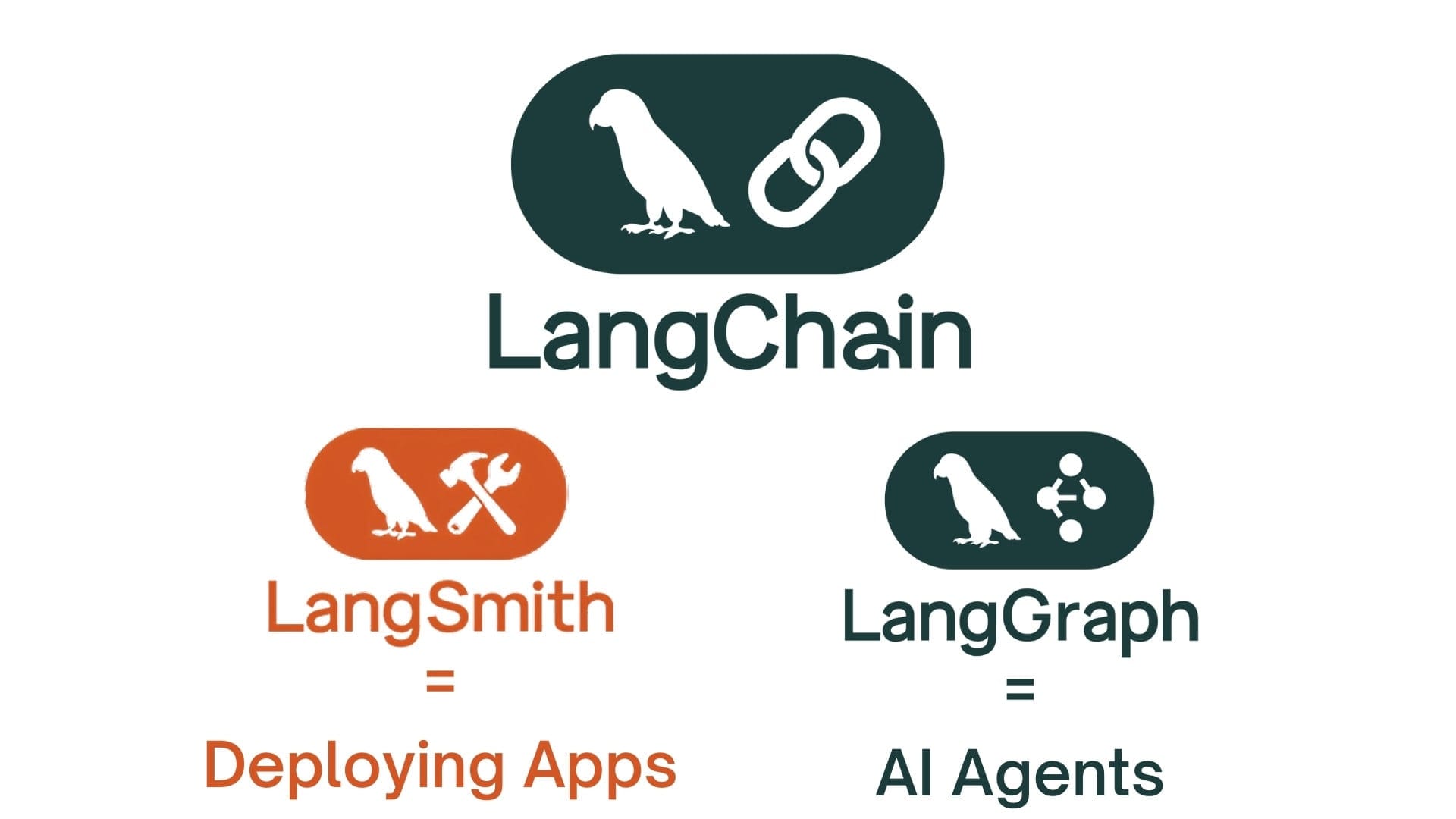
🌐 The LangChain Ecosystem
LangChain has grown from a single library into a complete stack for building, deploying, and monitoring LLM applications. Understanding the role of each component helps you make informed choices about which parts of the stack your project actually needs.
LangChain Core
The main framework. Chains, prompts, retrievers, tools, and memory. The foundation everything else builds on.
Open SourceLangGraph
Graph-based workflows with state, cycles, and human-in-the-loop. The layer for agents and complex orchestration.
Open SourceLangSmith
Observability, debugging, evaluation, and monitoring. Traces every LangChain and LangGraph execution automatically.
Paid SaaSLangServe
Deploy any LangChain chain or LangGraph workflow as a FastAPI endpoint with one command. Auto-generates an OpenAPI spec and a playground UI.
Open SourceDeploying with LangServe
from fastapi import FastAPI
from langserve import add_routes
from langchain_anthropic import ChatAnthropic
from langchain_core.prompts import ChatPromptTemplate
from langchain_core.output_parsers import StrOutputParser

app = FastAPI(title="DevOps Blog API")
llm = ChatAnthropic(model="claude-haiku-4-5")

# Define your chain
chain = (
    ChatPromptTemplate.from_template("Explain {topic} in simple terms.")
    | llm
    | StrOutputParser()
)

# One line to expose it as a REST endpoint
add_routes(app, chain, path="/explain")

# Run: uvicorn main:app --reload
# Auto-generated endpoints:
# POST /explain/invoke       → single call
# POST /explain/stream       → streaming response
# GET  /explain/playground   → interactive UI
# GET  /explain/openapi.json → OpenAPI spec
⛔ Common Mistakes and How to Avoid Them
iteration_count field to your state and increment it in every cycle. Your routing function must check this first and route to END or an error handler once the limit is reached. 5-10 iterations is a reasonable ceiling for most agents.LLMChain, SequentialChain, and legacy agent classes are still documented and widely referenced in tutorials, but they are effectively deprecated. New code written against them works but loses streaming support, parallel execution, and native LangSmith tracing.| operator is the current standard. If you're migrating legacy chains, the LangChain migration guide provides direct LCEL equivalents for every legacy construct.ConversationBufferMemory and ConversationChain are deprecated as of LangChain 0.2 and should not be used in new code.RunnableWithMessageHistory for in-session memory with explicit session keys. Trim history to the last N turns, or summarize old turns, before injecting into the prompt. For agents with complex state, use LangGraph's MemorySaver (dev) or PostgresSaver (prod) checkpointers - they manage state persistence automatically per thread_id.search with the description "search for things" will be invoked inconsistently and sometimes for completely wrong use cases. The model has no other signal than what you write.From Prompts to Production - A Clear Path
LangChain gives you the primitives to build structured, composable AI workflows without managing raw API boilerplate. LangGraph gives you the graph model to add state, loops, branching, and human oversight to those workflows. Together they form a complete stack that scales from a single summarization chain to a multi-agent system with persistent memory and production monitoring.
The practical path: start with an LCEL chain for your first use case, add LangGraph when you need loops or complex state, enable LangSmith tracing from day one in any non-trivial project, and always design your termination conditions and human checkpoints before you write your first node function.
The frameworks will continue evolving, but the underlying patterns - typed state, explicit routing, persistent checkpointing, tool-driven agents - are the durable concepts worth internalizing.